Last verified: 21 May 2026
VPNs are marketed as a magic privacy shield — one tap and you are invisible online. The reality is more useful and more limited than the adverts suggest. A VPN is a genuinely good tool for specific jobs and useless for others. Here is a straight explanation of what a VPN does, what it does not, and the India-specific rules worth knowing.
What a VPN is
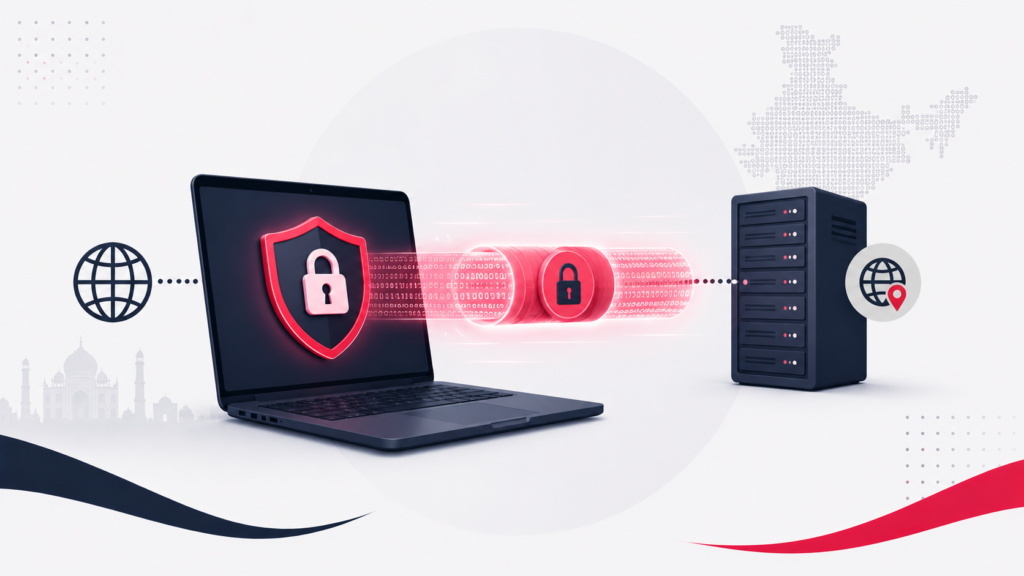
VPN stands for Virtual Private Network. When you switch it on, it creates an encrypted “tunnel” between your device and a server run by the VPN provider. All your internet traffic goes through that tunnel. Two practical effects follow:
- Your traffic is encrypted between your device and the VPN server, so someone snooping on the network in between cannot read it.
- Your IP address is masked — websites you visit see the VPN server’s address and location, not yours.
That is the whole core idea. Everything a VPN does well, and everything it cannot do, follows from those two facts.
What a VPN is genuinely good for
- Public Wi-Fi safety. On an airport, café or hotel network you do not control, a VPN’s encryption stops others on that network from intercepting your traffic. This is the strongest everyday use case.
- Hiding your activity from your network provider. Your internet provider can normally see which sites you connect to. A VPN hides that from them.
- Changing your apparent location. Because websites see the VPN server’s location, a VPN can let you access region-locked content or appear to browse from another country.
- Reducing IP-based tracking. Masking your real IP makes one specific method of tracking you harder.
What a VPN does NOT do
This is the part the marketing skips, and it matters:
- It does not make you anonymous. Websites can still identify and track you through cookies, your logged-in accounts, and browser fingerprinting. Log into your email with a VPN on, and that session is still you.
- It does not protect against malware or phishing. A VPN encrypts your connection; it does not inspect what you download or stop you typing your password into a fake site. You still need good habits and, ideally, security software.
- It does not hide you from the VPN provider itself. Your traffic is visible to whoever runs the VPN. You are choosing to trust them instead of your internet provider — which is why which VPN you use matters enormously.
- It does not guarantee untraceability. If a VPN keeps logs, those logs can be handed over. “No-logs” is a promise, and promises vary in quality.
The India angle: CERT-In rules
India has a specific regulatory wrinkle worth understanding. In 2022, CERT-In (the Indian Computer Emergency Response Team) issued directions requiring VPN providers with physical servers in India to collect and retain user information — names, IP addresses, contact details, the purpose of use and more — for five years, even after a customer cancels. Providers must also report certain cybersecurity incidents and share stored data with CERT-In on request.
This does not make VPN use illegal — using a VPN in India is legal. But it does sit awkwardly with the privacy a VPN is supposed to offer. In response, several major consumer VPN providers removed their physical servers from India and now offer “virtual” India server locations hosted outside the country. The rules were also clarified to not apply to corporate VPNs that a company runs purely for its own employees — those are not “VPN service providers” in this sense.
The practical takeaway: if privacy is your goal, understand where your VPN’s servers physically are and what its logging policy actually says.
Free VPNs: be careful
If a VPN is free, the service still costs money to run — and that money often comes from monetising your data. Free VPNs frequently have weak or unaudited no-logs policies, limited servers, and in some cases share user data with third parties. That directly defeats the purpose of using a VPN for privacy. For anything privacy-sensitive, a reputable paid VPN with an independently audited no-logs policy is the safer choice.
How to choose one sensibly
- Logging policy — look for a clearly stated no-logs policy, ideally one that has been independently audited.
- Server locations — know where the servers physically are, especially given the India rules.
- Reputation and ownership — prefer established providers with a track record over unknown free apps.
- What you actually need it for — for public Wi-Fi safety, most reputable VPNs do the job. For privacy from tracking, your browser habits matter as much as the VPN.
The bottom line
A VPN is a solid, specific tool: it encrypts your connection and masks your IP. That makes it genuinely valuable on public Wi-Fi and for hiding activity from your network provider. It does not make you anonymous, does not stop malware, and does not protect you from your own VPN provider. Use one for what it is good at, choose a trustworthy provider, and do not treat it as a substitute for basic digital safety.